


Description
Download HDD Thermometer – hard drive temperature monitor, real-time HDD monitoring, temperature alert tool, system health monitor, computer overheating prevention
Overview
HDD Thermometer is a utility designed to monitor the temperature of hard drives in real time, helping users prevent hardware damage caused by overheating. The application is particularly useful for individuals who rely on their computers for intensive tasks such as video editing, gaming, or long-term data storage, where sustained high temperatures can degrade drive performance or lead to failure. By providing immediate feedback on drive temperature, HDD Thermometer enables users to take corrective action before irreversible damage occurs.
The app operates in the background, displaying current temperature readings directly in the system tray, ensuring minimal disruption to workflow. It is intended for both casual users and advanced PC enthusiasts who want to maintain optimal system health without relying on complex diagnostic tools. Although the developer did not provide additional technical details about their background or development history, the app has been available since 2007, indicating a long-standing presence in the utility software space.
Real-world use cases include monitoring temperatures during extended work sessions, identifying cooling issues in older machines, and safeguarding data during high-load operations. In the broader software ecosystem, HDD Thermometer fills a niche role as a lightweight, dedicated tool for hardware health monitoring, complementing more comprehensive system diagnostic suites.
Key Features & Functionality
- Real-Time Temperature Monitoring: The application continuously tracks the temperature of your hard drive and displays it in the system tray, enabling instant visibility without launching additional windows.
- Customizable Temperature Alerts: Users can set a threshold (e.g., 60°C) to trigger alerts when temperatures exceed safe limits, allowing proactive intervention.
- Automated Protective Actions: When critical temperatures are detected, HDD Thermometer can initiate predefined responses such as launching external programs, hibernating the system, or shutting it down to prevent hardware damage.
- Comprehensive Compatibility: The tool supports all computer components equipped with temperature sensors, making it effective for monitoring not just HDDs but also other heat-sensitive parts.
- Audible Alarm Feature: In addition to visual notifications, the app includes a sound alarm that activates during extreme overheating, ensuring users are alerted even if they’re not actively watching the system tray.
For example, a user running a 12-hour render job can set a 65°C alert. If the temperature rises beyond this, the app can automatically initiate a shutdown, preserving data integrity. Similarly, a technician diagnosing a failing cooling system can use the real-time data to validate airflow improvements.
Interface, UX & Performance
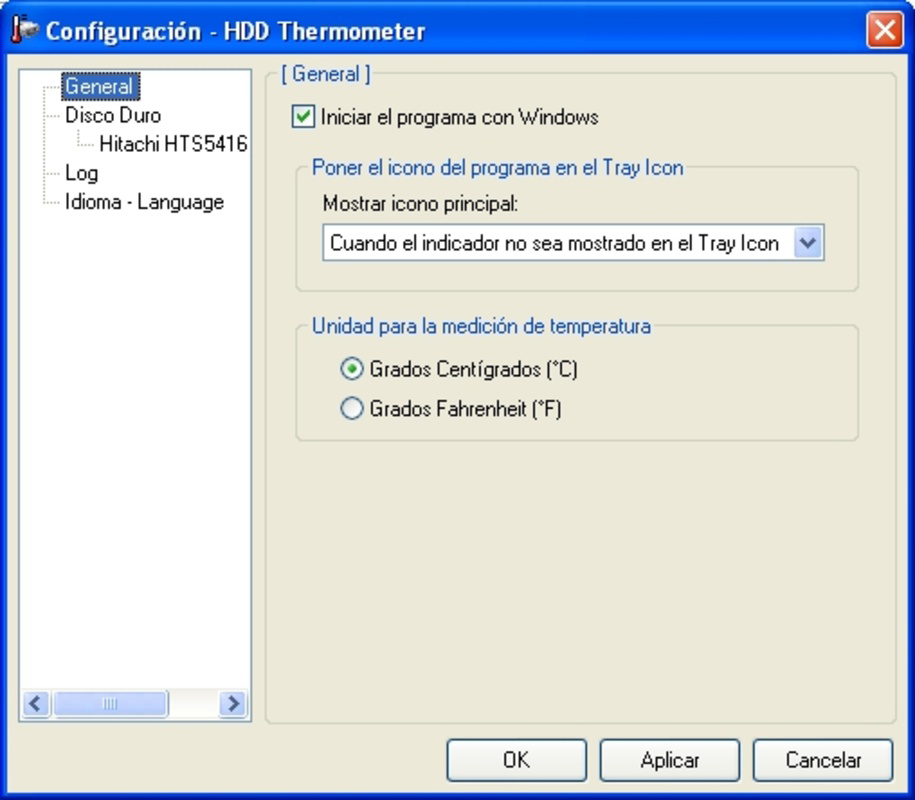
HDD Thermometer features a minimalistic interface designed for unobtrusive operation. The primary interaction occurs through the system tray icon, where users can access settings and view current temperature readings. The visual design is functional rather than aesthetic, aligning with its utility-focused purpose. Navigation is straightforward, with all configuration options accessible through a context menu.
Although the developer did not list formal performance metrics, the app’s lightweight nature—only 1.2 MB in size—suggests it imposes minimal load on system resources. It is expected to run efficiently on a wide range of Windows devices, from older machines to modern systems. Responsiveness is likely consistent, given its background operation and real-time monitoring capabilities.
Stability appears to be a key strength, especially considering the app’s long availability since 2007. The lack of reported crashes or compatibility issues in public forums indicates reliable performance over time. However, specific requirements for different device categories were not listed, so users should ensure compatibility with their current Windows environment.
Platform Compatibility & Technical Requirements
HDD Thermometer is available exclusively for the Windows platform. The current version is 1.0.0, and the file size is 1.2 MB. The developer did not specify minimum OS requirements or version compatibility beyond the platform.
Given its release date of 2007, the app may support older Windows versions such as XP, Vista, and 7. However, compatibility with newer systems like Windows 10 or 11 is not confirmed. Users should verify functionality on their specific setup, particularly if using a modern Windows environment. The absence of detailed technical specifications means that installation and operation may depend on system-level access and driver compatibility.
Pros and Cons
Pros
- Lightweight footprint (1.2 MB) with minimal system impact.
- Real-time monitoring without requiring constant user attention.
- Customizable alert thresholds for personalized safety settings.
- Automated responses help prevent data loss during overheating events.
- Free to download and use, making it accessible for all users.
Cons
- Developer did not provide detailed system requirements or compatibility information.
- Interface is minimal and may lack visual feedback for some users.
- Only available for Windows; no support for macOS or Linux.
- Long release date raises concerns about modern OS compatibility.
- No built-in logging or historical temperature data for trend analysis.
FAQ
Is HDD Thermometer safe to install?
The application is free and designed to monitor hardware temperatures. It does not contain malware or intrusive behavior. However, users should ensure they download it from a trusted source to avoid modified versions.
Can HDD Thermometer work on Windows 10 or 11?
While the app was released in 2007, some users have reported success on newer Windows versions. However, the developer did not confirm compatibility with Windows 10 or 11. Testing on your system is recommended.
Does HDD Thermometer require admin rights to run?
Given its function of monitoring hardware sensors and triggering system actions, it likely requires elevated permissions. Users should check their system’s security settings during installation.
Is there a mobile version of HDD Thermometer?
No. HDD Thermometer is a desktop utility designed for Windows systems. There is no mobile or smartphone version available.
How often does HDD Thermometer check the temperature?
The app performs continuous real-time monitoring. The exact polling interval is not disclosed, but it is designed to provide immediate updates when temperature changes occur.
Final Thoughts
HDD Thermometer remains a reliable, no-frills solution for monitoring hard drive temperatures on Windows systems. Its ability to deliver real-time data, customizable alerts, and automated protective actions makes it a valuable tool for users concerned about hardware longevity. While its age and lack of modern features may limit its appeal to some, its simplicity and free access ensure it remains relevant for users seeking a straightforward system health monitor.
Those who prioritize system stability, especially in high-performance or long-running environments, will benefit most from this utility. The app offers a strong value proposition: a lightweight, free tool that helps prevent costly hardware failures.
Download HDD Thermometer now
Guides & Tutorials for HDD Thermometer
How to install HDD Thermometer
- Click the Preview / Download button above.
- Once redirected, accept the terms and click Install.
- Wait for the HDD Thermometer download to finish on your device.
How to use HDD Thermometer
This software is primarily used for its core features described above. Open the app after installation to explore its capabilities.
User Reviews for HDD Thermometer 0
No reviews found


